Insights, charts, dashboards & decks

From analysis to outputs you can share

Turn Agent analysis into insights, charts, refreshable live dashboards, and PPT reports—ready to review, edit, and share.

Financial Analytics
December 2025|PORTFOLIO ANALYSIS

Credit Risk Analysis
& Strategic Recommendations

COMPREHENSIVE 1,000-CUSTOMER PORTFOLIO ASSESSMENT

01 // Delivery

Four ways analysis becomes delivery

One Agentic BI workflow: from verified insights to charts, live dashboards, and board-ready decks—built for speed, clarity, and consistency.

Output 1

Insights & executive summaries

  • Conclusions first—not a blank slide.

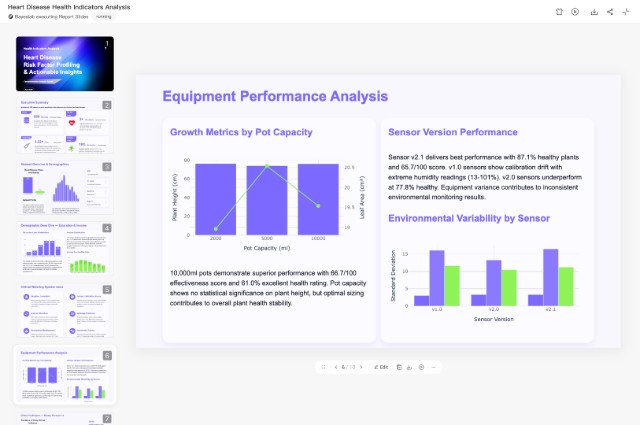
    The Agent drafts clear insights and executive summaries from your analysis: what changed, why it matters, and what to do next—so you start from a decision pack, not an empty deck.

Before / AfterFrom raw tables to polished slides with a Key Insights callout.
InsightsExecutive summary
Insights & executive summaries preview
Output 2

Edit before you share

  • AI drafts. You refine.

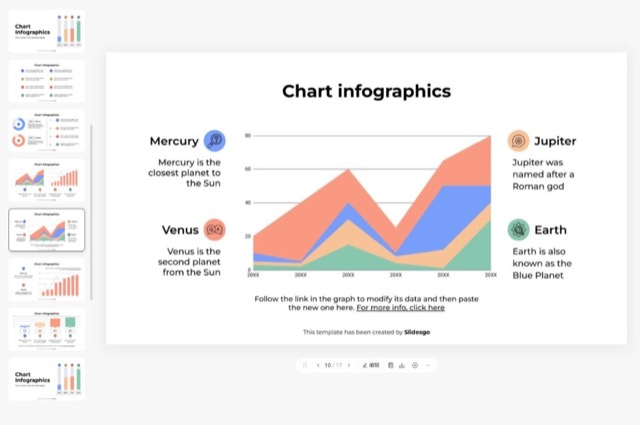
    Review tone, structure, and charts in an editor built for data delivery. Adjust messaging, restyle, or ask the Agent to swap a chart—then share only when it is ready.

Refine with commandHighlight a paragraph and instruct: "Make this clearer for the CFO."
Edit before you share preview
Output 3

Live dashboards, not static slides

  • Presentation is not the end.

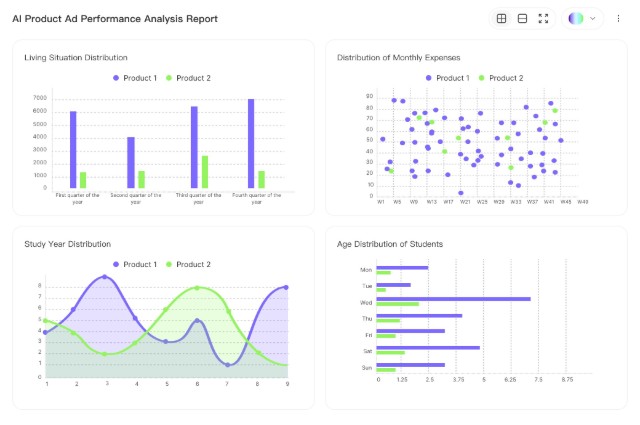
    Pair your deck with a refreshable live dashboard. In the meeting, click an insight to drill into live data and answer “why?” without rebuilding the report.

Slide → Live dashboardInteractive dashboard linked to the same analysis behind your slides.
Live refreshDrill-downMeeting Q&A
Live dashboards, not static slides preview
Output 4

Scheduled reports & alerts

  • Keep stakeholders updated automatically.

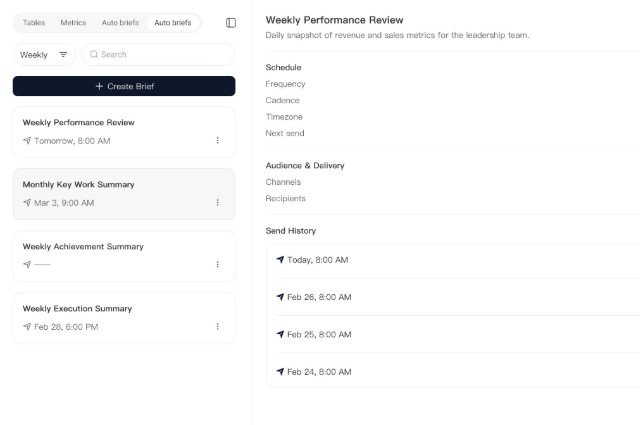
    Schedule recurring reports and let the Agent watch for material changes. When something breaks, a clear update can land in Slack or email—without a manual screenshot loop.

Notification sequence08:00: “15% spike in churn detected.” Friday: “Weekly summary ready—key targets at 105%.”
Scheduled reports & alerts preview
02 // Bayeslab Advantage

Traditional BI reporting vs. Agentic BI delivery

Replace manual report assembly with one Agent workflow that produces insights, charts, live dashboards, and PPT decks.

Workflow phase
Bayeslab
Traditional BI / tools

Synthesize insights

Agent drafts insights in minutes

People stare at charts for hours

Format & design

Board-ready themes in one pass

Fight fonts, layouts, and paste jobs

Refresh data

Live-linked charts & dashboards

Re-screenshot and re-paste

Monitor & alert

Business-aware proactive updates

Rigid thresholds, noisy alerts

03 // How it works

From question to board-ready pack

Four steps from connected data to insights, charts, live dashboards, and PPT you can share.

01

Connect

Link SQL, Snowflake, or 50+ business apps in seconds.

02

Ask or delegate

Give the Agent a mission—for example: “Analyze why Q3 margins dipped.”

03

Review & edit

Polish narrative, charts, and styling before you share.

04

Share

Export PPT or open a live dashboard for the meeting.

04 // Get started

Turn analysis into outputs your team can use.

Connect your data. Ask a question. Review and share.

AI Dashboards & PPT Reports | Agentic BI - Bayeslab